If you've spent any time setting up internet connections or troubleshooting network issues, you've probably encountered the terms LAN and WAN. These are two fundamental networking concepts that shape how data moves across the entire internet, which is why understanding the distinction between them can help you build a network that actually works for your business.
TL;DR
- A LAN connects devices within one location like an office or home, while a WAN links multiple networks across cities, regions, or countries, with the internet being the largest WAN of all.
- LANs are faster, cheaper, and owned entirely in-house, while WANs reach much farther but cost more, run slower over longer distances, and depend on outside providers.
- On security, a LAN is inherently safer because access stays physically local, whereas a WAN travels public infrastructure and needs added protection like firewalls and VPNs.
- Most businesses run both, a LAN in each location linked by a WAN, so the real choice is reach: one site needs mainly a strong LAN, while multiple sites or remote staff need a WAN.
In this guide, we'll break down LAN and WAN, explore their key differences, and explain how they work together to deliver the connectivity that powers modern business.
What Is a LAN?
A LAN connects devices and computers within a limited geographic area – a single building, office, or home. LANs allow connected devices to share resources like files, printers, internet connections, and applications quickly and securely.
What Does LAN Stand For?
LAN is an acronym for "Local Area Network." The "local" part refers to how LANs operate within a confined physical space, typically owned and managed by a single organization.
Most LANs use Ethernet cables or Wi-Fi to connect devices. When you plug a computer into your office network via an Ethernet LAN cable or connect your laptop to home Wi-Fi, you're joining a local area network.
How LANs Work
LANs use switches and routers to direct traffic between connected devices. The LAN line, which is the physical Ethernet cable connection that joins a device to the network, sends data at high speeds with minimal delay because devices are physically close.
Modern LANs commonly support 1 Gbps speeds, with enterprise networks reaching 10 Gbps or more.
What Does WAN Mean?
A WAN, or Wide Area Network, connects multiple LANs across a larger geographic area. While a LAN connects devices in one location, a WAN connects networks across cities, states, countries, and even continents.
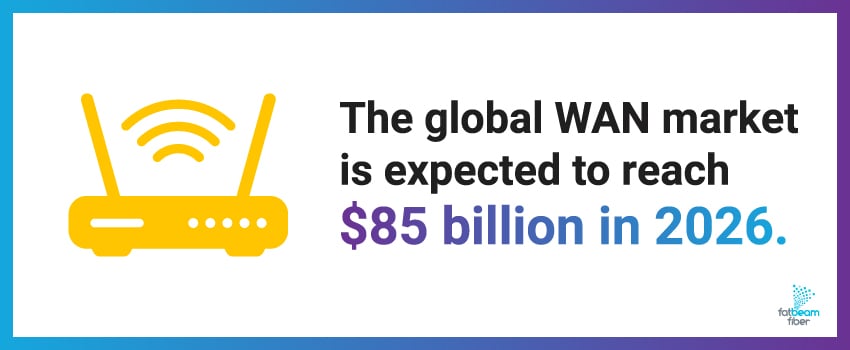
The global WAN market is expected to reach $85 billion in 2026,1 reflecting how important WAN infrastructure has become to enterprise operations. Organizations use private WANs to link offices in different locations, allowing distributed employees to share resources as if they were in the same building.
How WANs Work
WANs use several technologies to overcome the physical limitations that prevent LANs from extending beyond a single location, including:
- Fiber optic cables
- Leased lines
- MPLS (Multiprotocol Label Switching)
- VPNs
- Satellite links
At Fatbeam, we help businesses build WANs that actually work. Our Wavelength services and Dedicated Internet Access solutions deliver the dedicated, reliable connectivity your distributed teams depend on across the Western United States.
LAN vs WAN: 6 Key Differences
Most organizations don't realize how their choice between LAN and WAN impacts everything from team collaboration to customer experience. Here are the distinctions that directly impact your operations:
1. Geographic Scope
LANs connect a single building or office, which keeps everything close and manageable. WANs reach across cities, states, or continents, linking separate locations into one network. The scope you need depends on whether you're managing one office or coordinating teams spread across regions.
2. Ownership
With LAN, you own and control your network completely, from the routers to the cables running through your walls. WANs typically involve multiple providers and shared infrastructure, especially when you're using the public internet. Who controls what matters when it comes to security policies and troubleshooting responsibility.

3. Speed
LANs are fast because devices are physically close to each other. WANs move data over longer distances through more equipment, which naturally introduces latency. And every millisecond counts when you're running business-critical applications, as even a 100-millisecond increase in latency can reduce conversion rates by 7%.2
4. Cost
Setting up a LAN is relatively affordable because you're just buying switches, routers, and cables for nearby devices. WAN connections involve service providers and ongoing monthly costs, but you gain improved collaboration and access to cloud services that make the investment worthwhile.
5. Setup and Maintenance
Internal IT teams can handle LAN setup and maintenance in most cases. WANs demand coordination with service providers and specialized expertise, which means bringing in professional partners. However, modern WAN solutions like SD-WAN have made managing distributed networks much more accessible than it used to be.
6. Technology
LANs use Ethernet and Wi-Fi because they're simple and cost-effective. WANs pull from a wider toolkit, such as fiber optics, MPLS, leased lines, and VPN connections. Each offers different performance characteristics and costs, so it’s important to choose the right one depending on your bandwidth needs and budget.
7. Security
LANs are inherently more secure because access is physically limited to devices on-site, so an outsider generally has to be inside your building to reach the network. WANs are more exposed, since their traffic crosses public or third-party infrastructure where it can be intercepted, which is why they rely on added protection like firewalls, VPNs, and encryption. The rule of thumb is simple: the more your traffic leaves the building, the more your security shifts from physical control to network controls you have to actively manage.
WAN vs LAN Port: What's the Difference?
If you've looked at the back of a router, you've noticed different port labels. Understanding the LAN vs WAN port distinction is essential for setting up your network correctly.
What Is a WAN Port?
A WAN port (sometimes labeled "Internet") is where your modem or internet service connection plugs into your router. This port receives the internet signal from your provider and brings external connectivity into your network.
Most routers have one WAN port, with the WAN cable connecting from your modem's output to your router's WAN port.
What Is a LAN Port?
LAN ports are the multiple Ethernet ports on your router used to connect local devices like computers, gaming consoles, and network printers. A typical home router has four LAN ports, while business equipment offers eight, sixteen, or more.
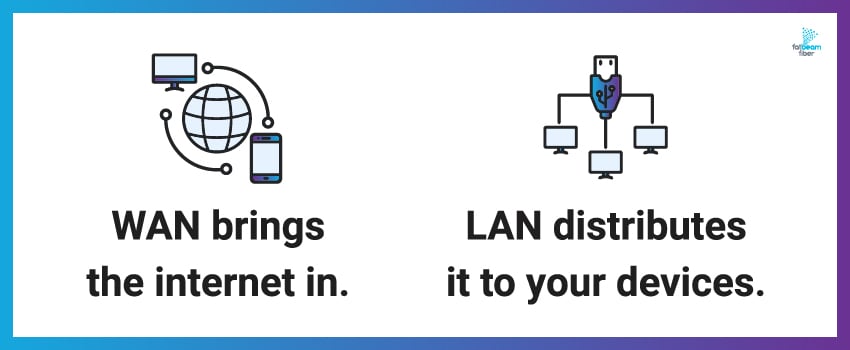
The fundamental WAN vs LAN port difference is that WAN brings the internet in, and LAN distributes it to your devices.
How LAN and WAN Work Together
In modern networks, LAN and WAN work together seamlessly. Your office computer connects to a local switch (LAN), which connects to your router. The router's WAN port connects to a fiber modem from your internet provider, joining your LAN to the broader WAN.
For multi-location businesses, each office maintains its own LAN, but they're all connected through a WAN that allows employees to access shared resources regardless of location.
At Fatbeam, our dark fiber solutions provide businesses with ultimate WAN flexibility – you control the entire connection between your locations using your own networking equipment.
When to Use a LAN, a WAN or Both for Your Business
The honest answer for most businesses is both, but knowing which one carries the weight for a given need makes planning far easier. Here is how the choice tends to break down:
-
Lean on your LAN for local work: sharing files, printers, and applications among the devices inside a single office, building, or store.
-
You need a WAN when the network has to reach beyond one location, whether that means connecting several offices, supporting remote and hybrid staff, reaching cloud applications, or replicating data between sites for backup.
-
A quick way to decide: count your locations. A single site is usually well served by a strong LAN plus a solid business internet connection, while multiple sites or a distributed workforce call for a WAN to tie them together.
Most organizations end up running a LAN in each location, all linked by a WAN, so the real question is rarely LAN or WAN. It is how much WAN capacity and reliability your operations demand as you grow.
Build the Right Network With Fatbeam
LANs and WANs aren't competing technologies – they're complementary pieces of one system working together. Your LAN keeps your local operations running, but your WAN is where the real competitive advantage lives. When you invest in fiber-based WAN infrastructure, you're building a foundation strong enough to support growth.
That's what Fatbeam does. We help businesses across the Western U.S. build high-capacity, cost-effective WAN infrastructure that delivers:
- 99.99% network uptime
- 55 ms latency guarantee
- <1% packet loss
Ready to build a network that supports your business goals? Reach out to Fatbeam today to see how our fiber solutions can deliver the LAN and WAN performance your organization deserves.
LAN vs WAN FAQs
Is the internet a LAN or a WAN?
The internet is a WAN, and in fact it is the largest one in the world. A WAN connects many separate networks across large distances, which is exactly what the internet does: it links countless individual LANs, data centers, and devices across cities, countries, and continents into one global network. Your home or office LAN becomes part of this larger WAN the moment it connects to your internet provider. So while you manage your own local network, you are always reaching the rest of the world through a WAN.
What is a MAN (Metropolitan Area Network)?
A MAN, or Metropolitan Area Network, sits between a LAN and a WAN in scale. It covers a city or a large campus, connecting multiple LANs across an area bigger than a single building but smaller than the regional or national reach of a WAN. Universities linking buildings across a campus, or a city government connecting offices across town, are common examples. Think of it as a middle tier: larger than the network in one building, but more contained than a network spanning states or countries.
What do LANs and WANs have in common?
Despite their differences in scale, LANs and WANs share the same foundations. Both are computer networks built to connect multiple devices and share resources like files, applications, and internet access. Both rely on networking hardware such as routers and switches, both can run over wired or wireless connections, and both use the same core communication protocol, TCP/IP, to move data reliably. Both also need to be secured, though a WAN's wider exposure makes that a bigger job. In short, they are the same idea applied at very different distances.
Can you use a LAN port as a WAN port on a router?
On most consumer routers you cannot, because the ports are assigned specific roles: the WAN port is built to receive the incoming connection from your modem, while LAN ports distribute that connection to your local devices. Some business-grade and advanced routers do let you reassign a LAN port to act as a WAN port, which is useful for setups like a second internet connection for failover. Unless your router specifically supports it, though, plug your modem into the WAN port and keep your devices on the LAN ports.
How can you tell if you're connected to a LAN or a WAN?
If your device connects through your own router, by Ethernet cable or Wi-Fi, you are on a LAN, the local network inside your home or office. The moment your traffic leaves that router to reach a website or another location, it is traveling across a WAN. A simple tell: communicating with a printer or computer in the same building stays on your LAN, while loading a web page or connecting to a branch office goes out over a WAN. Most of the time you are using both at once without noticing.
What is SD-WAN?
SD-WAN, short for software-defined WAN, is a modern way to manage a wide area network using software instead of manually configuring hardware at each site. It lets a business route traffic intelligently across multiple connection types, such as fiber, broadband, and cellular, sending each application over the best available path. That makes distributed networks easier to manage, more resilient, and often more cost-effective than traditional WAN setups. It is why connecting multiple locations has become far more accessible than it used to be for smaller organizations.
What is a VLAN?
A VLAN, or virtual LAN, is a way to split one physical LAN into several separate logical networks without adding hardware. It lets you group devices by function rather than location, so a company can keep, for example, guest Wi-Fi, office computers, and payment systems on isolated segments even though they share the same switches. This improves both security, by containing traffic and limiting what each group can reach, and performance, by reducing congestion. VLANs are a common tool for organizing and protecting larger local networks.
Sources: