When your character freezes for a split second right before you take a hit, or your voice call cuts out mid-sentence, ping is usually the culprit. It's one of the most misunderstood numbers in networking, yet it has an outsized effect on how smooth – or frustrating – your online experience feels.
The good news is that once you understand what ping is and what causes it, you can actually do something about it. Let's break it down.
What Is Ping?
Ping is the amount of time it takes for a small packet of data to travel from your device to a server and back again, measured in milliseconds (ms). For example, A ping of 20ms means it takes 20 thousandths of a second for data to make this round trip.
Every time you click, move, or send information online, that request has to reach its destination and return with a response before anything happens on your screen. You can check your internet connection’s ping using most online speed tests, which usually display it alongside your download and upload speeds.
What Is a Good Ping Speed for Everyday Use?
Anything under 100ms is fine for most everyday internet use. Video calls typically run smoothly below 150ms, though lower is always better for avoiding awkward audio delays. Streaming services are more forgiving of higher ping since they buffer content, but a high ping can still cause interruptions.
Fatbeam’s fiber internet services are built on infrastructure we specifically designed to minimize the congestion and inconsistent performance that drive ping up on legacy connections.
What Does Ping Mean in Gaming?
What is ping in gaming, and why does it come up so often in settings menus and gamer forums? In gaming, ping's meaning shifts slightly to focus on the delay between an action you take – firing a weapon, dodging an attack, casting a spell – and when that action registers on the game server.
A low-ping connection means your inputs reach the server almost instantly, keeping your on-screen actions synced with the match. A high-ping connection introduces a lag between your input and the game's response, throwing off your timing, aim, and reactions.
Is High Ping Good or Bad?
High ping is bad, especially for anything real-time. In a fast-paced shooter, a high-ping player might see an opponent a fraction of a second after that opponent has already seen them, putting them at a real disadvantage.
Is Low Ping Good or Bad?
Low ping is good, and generally the goal for anyone gaming, video conferencing, or using real-time applications, since it means your device and the server are communicating quickly with minimal delay.
What Is Good Ping?
What counts as good ping depends somewhat on what you're doing online, but these general benchmarks apply across most use cases:
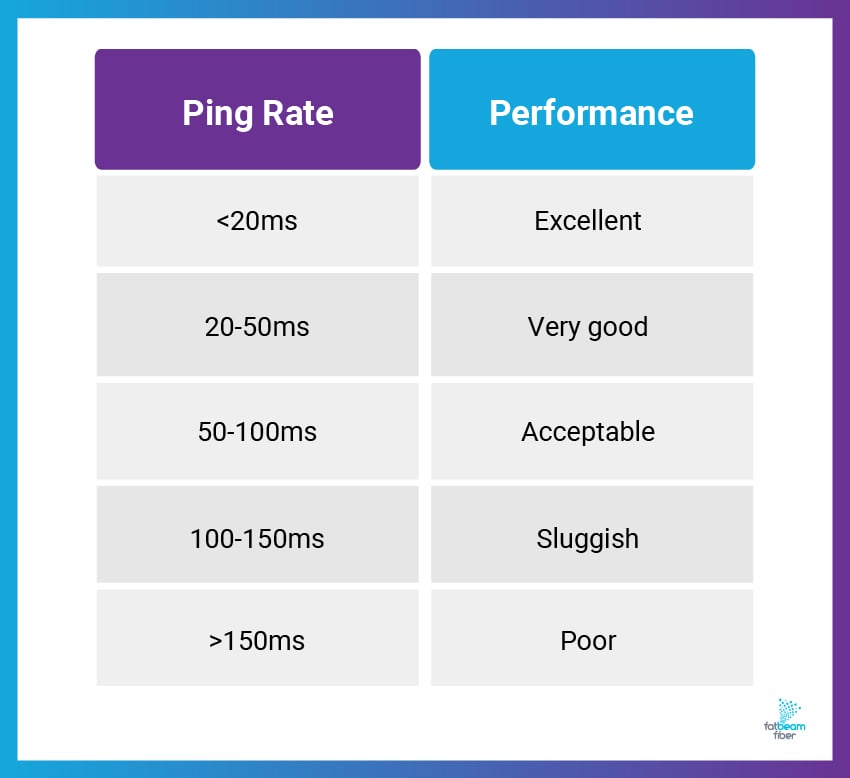
- Under 20ms: Excellent. Ideal for competitive gaming and professional esports.
- 20-50ms: Very good. Suitable for most gaming, video calls, and streaming.
- 50-100ms: Acceptable. Noticeable but manageable delay for casual gaming and everyday browsing.
- 100-150ms: Playable but sluggish. Fast-paced games may feel inconsistent.
- Above 150ms: Poor. Expect visible lag, rubber-banding, and dropped inputs.
What Is a Good Ping for Gaming?
For most gamers, anything under 50ms delivers a smooth, responsive experience. Competitive and esports-level players usually aim for under 20ms to stay competitive.
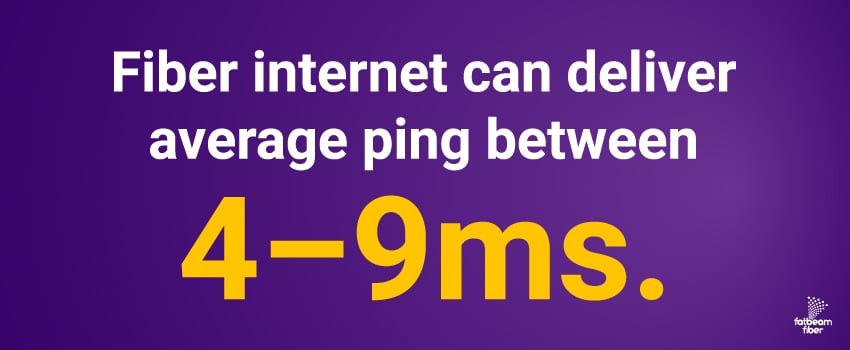
According to SpeedTestHQ's 2026 Gaming Latency Report, fiber ISPs can deliver average ping between 4–9ms,1 which meets pro-level requirements for virtually every game genre. But what matters most is understanding what latency tier your specific games actually require.
What’s a Good Ping for Gaming by Game Type?
The "right" ping for gaming ultimately depends on the genre, but here’s a quick breakdown:
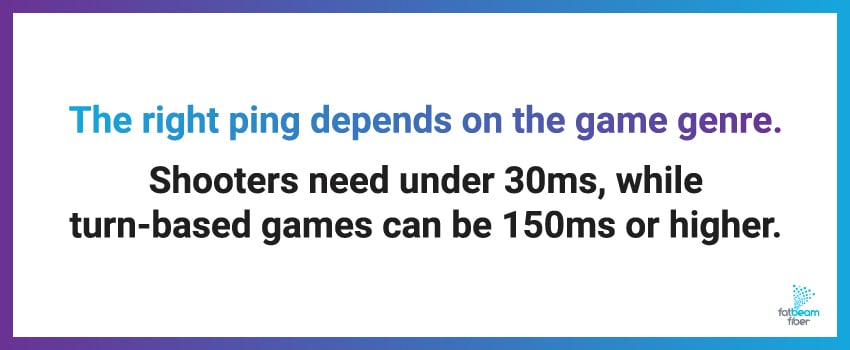
- Shooters and fighting games need the lowest ping, ideally under 30ms, since one wrong millisecond means you get hit first.
- Strategy and MOBA games can tolerate up to 100ms without a major impact on gameplay.
- Turn-based games remain playable even at 150ms or higher because there's no real-time pressure.
The takeaway here is that your game genre matters as much as your actual ping number. Once you know what your game needs, you can figure out whether your current connection is good enough or if you need to make some changes.
What Causes High Ping?
A few factors can contribute to high ping, and figuring out what’s causing yours is the first step toward fixing it:
Distance From the Server
The farther your data travels, the longer the round trip takes. This is just physics – data travels at the speed of light through fiber, but it still takes time to cover distance.
Network Congestion
If too many devices are competing for the same bandwidth, data has to wait its turn, especially during peak hours. That means when your whole neighborhood is streaming at 8 PM, everyone's ping goes up.
Outdated or Faulty Equipment
An aging router or worn cables can all introduce delay. Older hardware simply can't handle modern traffic volumes.
Wi-Fi Interference
Wireless connections have to deal with more interference than a direct wired connection. Your neighbor's Wi-Fi, microwave ovens, and cordless phones all interfere with your signal.
Your Internet Connection
Cable and DSL share bandwidth with neighbors, which makes them more prone to congestion-related latency spikes. Fiber transmits data as pulses of light through dedicated lines, so it delivers lower latency regardless of neighborhood demand.
How to Lower Ping
If your ping is higher than you'd like, a few practical fixes can help:
- Use a Wired Connection: Connecting to your router with an Ethernet cable eliminates Wi-Fi interference and can deliver lower, more stable ping than wireless.
- Close Bandwidth-Heavy Apps: Streaming, downloads, and cloud backups running in the background all compete for bandwidth, so closing what you don't need frees up your connection.
- Choose Nearby Servers: When possible, select game servers or services hosted closer to your physical location to shorten the distance your data has to travel.
- Restart the Router: Routers can accumulate performance issues over time, and a regular restart clears temporary glitches.
- Upgrade Your Equipment: Older routers and modems may not handle modern speeds and traffic efficiently; newer, better-suited hardware often resolves persistent ping issues.
If you've tried these fixes and ping is still an issue, your internet connection may be the issue. Fatbeam’s Wi-Fi 6 and mesh networking solutions reduce interference and provide consistent performance throughout your home, working alongside our fiber network to keep latency low from the source to your device.
Get a Connection Built for Low Ping With Fatbeam
Ping affects more than just gaming – it shapes how responsive every part of your online experience feels. Good habits like using a wired connection can help, but the most reliable way to keep ping low is to start with a connection built for it.
At Fatbeam, we designed our residential fiber solutions to deliver the low latency and consistent performance that gamers, remote workers, and everyday users depend on. See what fiber options are available at your address, or reach out to our team to learn how our network can help you get the low ping you're looking for.
Sources: