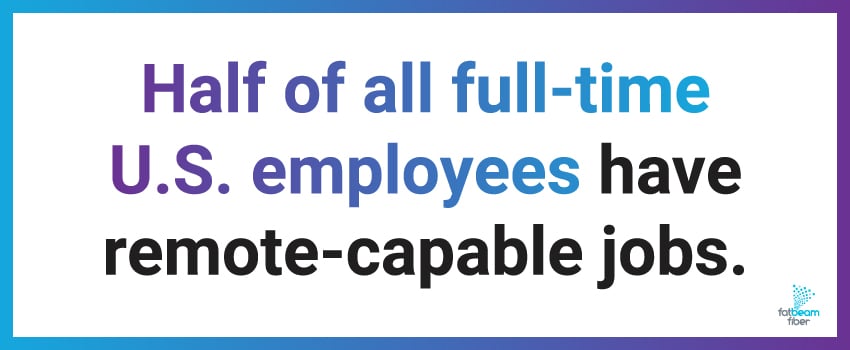
Remote work has transformed from a pandemic necessity into a permanent fixture of modern professional life, and your home internet connection has become as essential as your desk and computer. Five in 10 full-time U.S. employees have remote-capable jobs, and 78% of those work remotely at least one day a week.1
However, figuring out the best internet speeds for working from home isn't always easy. Most people don't understand how much speed they actually need, which leaves them either overpaying for bandwidth they don't use or struggling with a connection that can't keep up with remote work demands.
In this guide, we'll cut through the confusion and break down home internet speed needs for different remote work scenarios to help you find the best internet for working from home.
How Much Internet Speed Do I Need for Basic Remote Work?
One remote worker handling standard tasks like standard-definition video calls, emails, and web browsing needs at least 100 Mbps download and 20 Mbps upload speeds.
But if multiple people in your household work from home, you need to multiply these requirements by the number of remote workers. Two people working from home need at least 200 Mbps download speed, three should target 300+ Mbps, and so on.
Fatbeam’s fiber internet plans offer symmetrical speeds. That means its upload performance always matches the download capacity, which is a must-have for smooth video calls and cloud collaboration when multiple people in the household are online.
Best Internet Speeds For Working From Home: Practical Recommendations
Choosing the best internet for working from home requires matching your service provider’s speed tiers to your actual usage. Here’s a quick reference:
- Solo remote worker, light usage: 100 Mbps
- Solo remote worker, standard usage: 200 Mbps
- Two remote workers: 200-300 Mbps
- Three+ remote workers: 500+ Mbps
- Professional creative work: 500 Mbps-1 Gig
Keep in mind that these recommendations assume that you’re using fiber or quality cable connections. Older DSL connections usually can't deliver their advertised speeds consistently, and that can become especially obvious during peak usage hours.
Is 300 Mbps Good For Working From Home?
Yes, 300 Mbps internet speed is very good for most work-from-home scenarios. This speed can comfortably support two or three remote workers simultaneously, multiple HD video conferences, quick file uploads to cloud storage, and dozens of connected devices.
At 300 Mbps, you can download a 1 GB file in approximately 27 seconds and upload a 500 MB presentation in about 13 seconds while maintaining video calls.
Is 600 Mbps Fast? Understanding 600 Mbps Internet
Absolutely. A 600 Mbps internet plan is more than enough speed for nearly any work-from-home scenario. This tier can accommodate four to five remote workers at once, multiple 4K video conferences, and near-instantaneous large file transfers.
Since 600 Mbps is double 300 Mbps, downloading that same 1 GB file only takes 13 seconds, and uploading a 500 MB presentation happens in about 7 seconds.
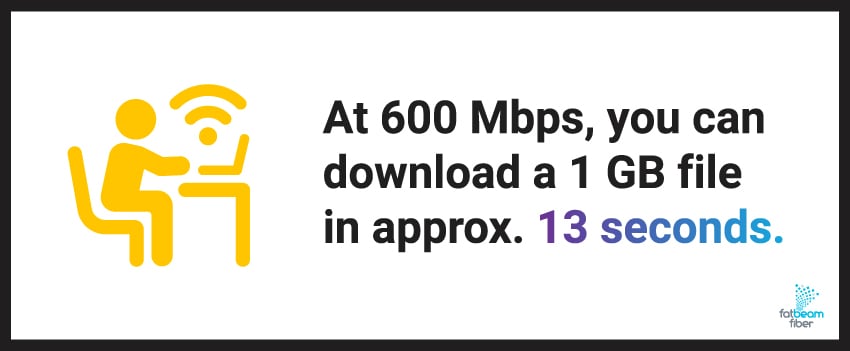
So, is 600 Mbps good for working from home? It's probably overkill unless you have multiple remote workers or frequently transfer massive files.
Is 1 Gig Internet Good For Working From Home?
Gigabit internet (1 Gbps, or Gig) exceeds most work-from-home requirements, but it future-proofs your connection and provides peace of mind that bandwidth will never limit your productivity.
Gigabit speeds make sense for households with multiple remote workers, homes with a smart device ecosystem, or families where simultaneous work, school, and entertainment usage strains lower-speed connections.
Fatbeam’s dedicated internet access provides gigabit and multi-gigabit options for users who need guaranteed bandwidth without contention from neighboring subscribers.
What Is Minimum Internet Speed for Working From Home?
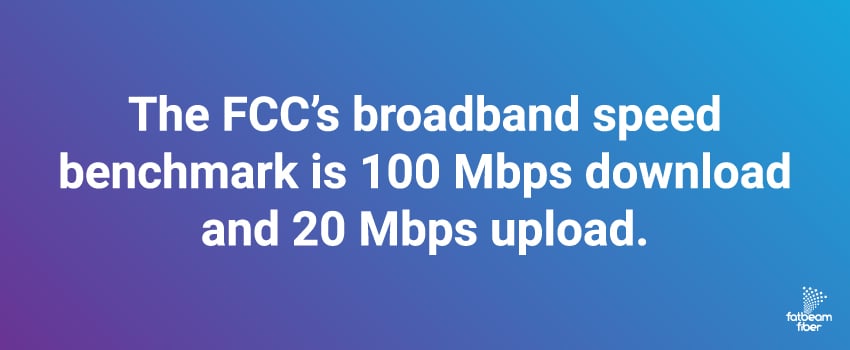
The FCC updated its broadband speed benchmark to 100 Mbps download and 20 Mbps upload in 2024,2 and this is the standard many experts recommend as a starting point. This baseline supports standard-definition video calls, web browsing, email, and cloud document editing.
However, this minimum leaves no bandwidth buffer. If someone is streaming Netflix or your smart home devices are updating, you’ll see very noticeable slowdowns and connection quality issues during important work calls.
We recommend treating 100 Mbps as the practical minimum for reliable work-from-home performance, with 200 Mbps being the comfortable starting point for most professionals.
Internet Speed Needed For Video Conferencing
Video conferencing uses less bandwidth than most people expect, but upload speed makes a big difference for avoiding choppy calls.
Here's what different platforms need:
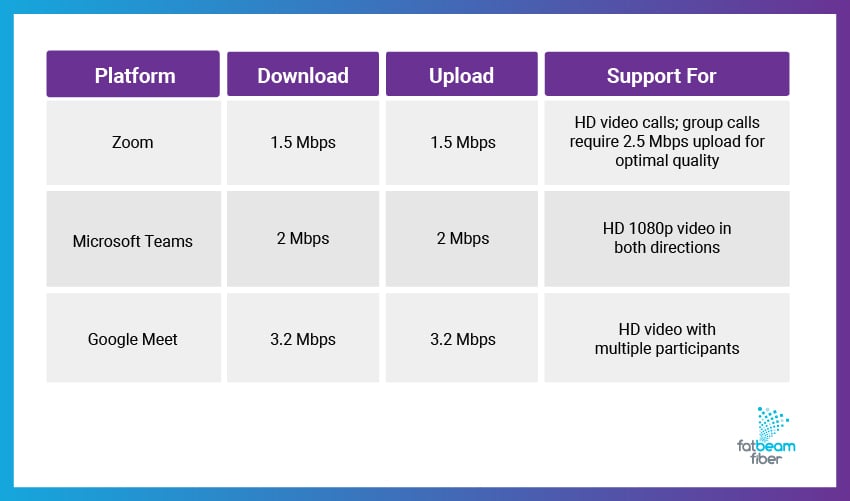
These individual requirements may seem doable, but real-world usage adds up fast. If you're on a video call while downloading files or while a family member is streaming a show, you need more than the minimum video conferencing requirements.
How Many Mbps Do I Need To Work From Home? Breakdown by Use Case
Let’s check out some specific use cases to help you identify the right speed tier without guessing or overpaying.
Light Remote Work
100 Mbps download and 20 Mbps upload can handle email, web applications, and occasional video calls.
Standard Remote Work
200 Mbps download and 20 Mbps upload speeds cover daily video conferencing, cloud app usage, and file sharing without bottlenecks.
Heavy Remote Work
300-500 Mbps with 50 Mbps upload supports large files, frequent meetings, and multiple apps running simultaneously.
Multiple Remote Workers
300-600 Mbps prevents bandwidth conflicts when 2+ people work simultaneously, ensuring everyone maintains consistent performance.
What Is A Good Upload Speed For Working From Home?
Upload speed doesn’t get talked about as much as download speed, but it's equally as important for remote work. Aim for at least 20 Mbps for basic needs, 25 Mbps for frequent video calls, and 50+ Mbps if you regularly upload large files.
Cable connections typically provide asymmetrical speeds (e.g., 300 Mbps download but only 10 Mbps upload). While this usually means lower-cost internet, it can cause major bottlenecks when you’re uploading presentations, backing up files, or hosting video calls.
Fiber internet solves this with symmetrical speeds. A 500 Mbps fiber connection from Fatbeam provides 500 Mbps in both directions, eliminating upload bottlenecks.
Meet Your Work From Home Internet Speed Requirements With Fatbeam
Understanding what internet speed you really need to work from home can help you prevent underpaying for inadequate service and overpaying for too much bandwidth. As a general rule of thumb, most remote workers need 100-300 Mbps download speeds and upload speeds of at least 20-50 Mbps.
However, your specific situation and internet needs could require different speeds altogether. To find the best internet speeds for working from home, you’ll need enough bandwidth for your actual usage – plus a buffer for simultaneous household activities.
At Fatbeam, we provide fiber internet solutions across the Western United States designed to support remote work with symmetrical speeds, low latency, and consistent performance. Our network delivers the reliability professionals need without bandwidth sharing and upload bottlenecks that plague traditional cable connections.
Ready for internet that supports your work-from-home needs? Contact Fatbeam today to explore our residential and business fiber options.
Sources: